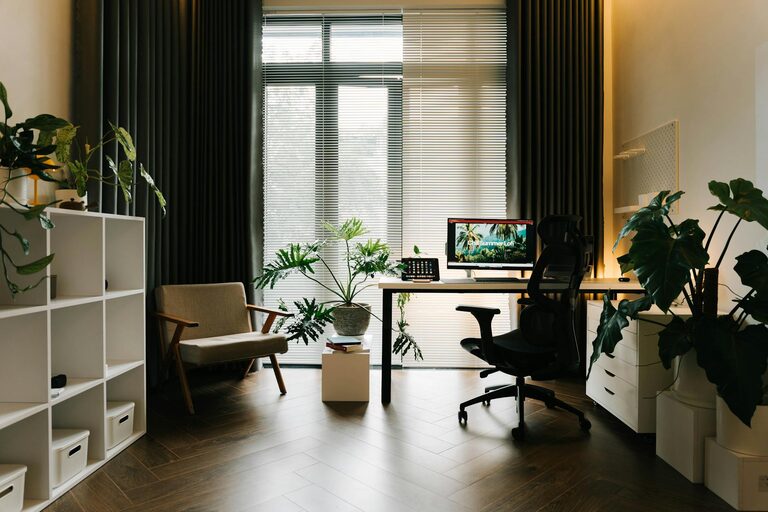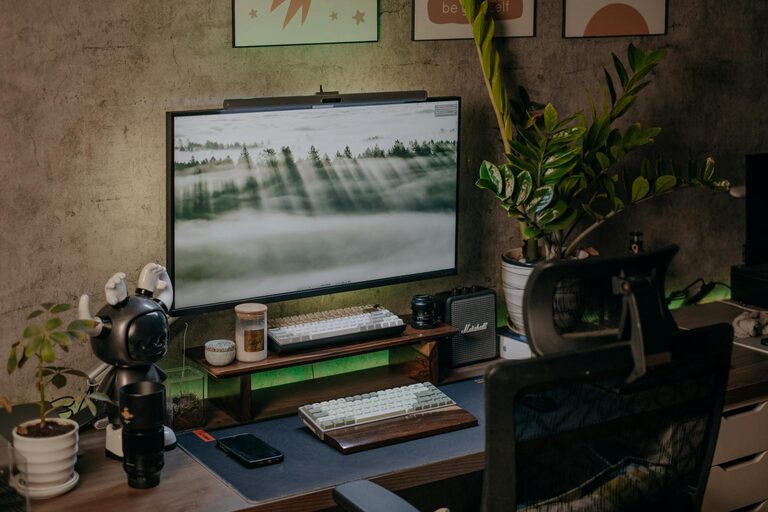





Creating a home workspace that feels cozy yet remains highly functional can make a big difference in your daily productivity and overall well-being. Whether you’re working remotely full-time, freelancing, or simply need a dedicated area for your tasks, designing the right environment is key. Here are some helpful tips to build a workspace that blends comfort with efficiency.
Choose the Right Location
Finding the perfect spot in your home is the first step. Ideally, select a quiet area with minimal distractions where you can focus. This could be:
– A spare room
– A nook in the living room
– A corner of your bedroom
Take advantage of natural light when possible, as it improves mood and energy.
Invest in Comfortable Furniture
Comfort is essential because you’ll spend hours in this space. Look for:
– An ergonomic chair that supports your back
– A desk at the right height, allowing your arms to rest comfortably
– Adjustable furniture if possible, to switch between sitting and standing
Comfortable seating and a suitable desk setup help prevent fatigue.
Organize with Purpose
Clutter can reduce productivity and increase stress. Establish an organization system tailored to your needs:
– Use drawers or filing cabinets to store papers
– Invest in desk organizers for pens, notebooks, and supplies
– Employ wall shelves or bulletin boards to keep important documents visible but tidy
Regularly declutter to maintain a neat workspace.
Personalize Your Space
Appending personal touches makes the workspace inviting and boosts motivation. Consider adding:
– Plants for a refreshing, natural element
– Artwork or motivational quotes you enjoy
– A cozy throw blanket or cushion for comfort
Just remember to keep personalization subtle to avoid distractions.
Control Lighting Wisely
Proper lighting reduces eye strain and helps maintain alertness. Tips include:
– Maximizing daylight with unobstructed windows
– Adding adjustable desk lamps for focused work
– Using warm light bulbs in the evening for a relaxed ambiance
Avoid harsh overhead lighting that can cause glare.
Manage Cables and Electronics
Untangling cords or dealing with tangled chargers wastes time and adds frustration. To manage electronics effectively:
– Use cable organizers or clips to keep wires in place
– Label cords to quickly identify devices
– Ensure your Wi-Fi signal is strong where your workspace is located
Clean cable management contributes to a safer, cleaner environment.
Incorporate Storage Solutions
Having sufficient storage keeps everything within reach but out of sight. Ideas include:
– Floating shelves to display books and decor
– Multi-purpose storage boxes tucked under your desk
– Stackable trays for sorting documents and mail
Well-planned storage supports a clutter-free desk surface.
Keep Essential Supplies Close
Stock your workspace with frequently used supplies to avoid constant trips elsewhere. Examples are:
– Notepads and sticky notes
– Pens, pencils, and highlighters
– Chargers and external drives
Use containers or desktop organizers so items are easy to find.
Set Boundaries and Break Areas
Maintaining a boundary between work and personal life is crucial, especially in a home environment. You can:
– Consider a room divider if your space is shared
– Designate a separate area for short breaks or stretching
Stepping away from your desk helps refresh your mind during the day.
Maintain Cleanliness and Freshness
A clean space promotes focus and positivity. Develop simple routines like:
– Wiping your desk at the start or end of each day
– Taking out trash regularly
– Opening windows for fresh air when possible
A tidy space supports your mental clarity.
—
By thoughtfully blending comfort, organization, and personalization, your home workspace can become a pleasant yet effective area. Experiment with these tips to find the setup that best fits your needs and lifestyle. A cozy and functional space makes working from home a more enjoyable experience.